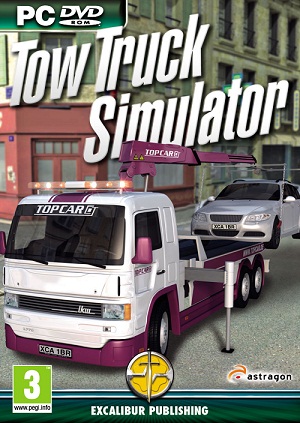
No more waiting on the hard shoulder! In Tow Truck Simulator you become the operator of a rescue truck as you scour the town for illegally parked cars, accidents or breakdowns in this surprisingly addictive simulation title from Astragon and Excalibur Publishing!
The game itself is actually really enjoyable, it almost plays like a casual Truck Sim; receive a mission, pick up your goods (car), load the goods, drive to your destination, unload your goods, and get paid. A mission can take anywhere from 5 minutes to 20 depending on your speed, and so the gratification levels are much higher than those in a Truck Sim where a job can take anywhere from 30 minutes to 3 hours, and you may find that you get addicted to the game, continually declaring that your next recovery will be your last! There are four models of tow-truck that you can own, your starting truck only has a crane, and not a winch; but you can upgrade your truck by finding the tow truck dealer, which we have directions to here. But you will find that you will need to make a lot of money for the first truck alone that costs €67,500, which is a fair amount of missions to accomplish, this will be how you upgrade to your first winch tow truck.
The missions are dynamically generated and when they become available a box pops up asking you whether you wish to accept the mission or not; generally the most commonly generated missions are illegally parked cars, however they all appear in the same 4 or 5 positions on the map, rather than randomly which is somewhat a shame, breakdowns and accidents are few and far between, which is excellent, as one of the concerns that we originally held for Tow Truck Simulator before its release was if there would be car accidents happening every five minutes, which is completely unrealistic, Astragon have thankfully addressed this by having breakdowns and accidents occur far less than illegal parking.
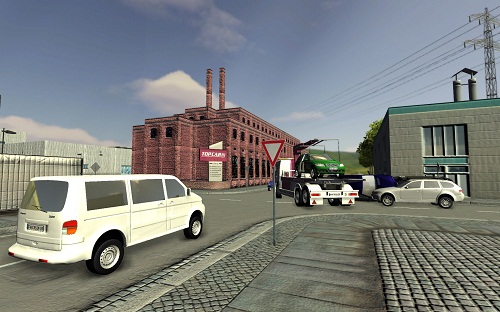
When you first start playing Tow Truck Simulator the controls can seem quite daunting; as well as controlling the truck’s motion, -with gear shifts required for reversing- when you locate your car to remove, you need to change to special mode, that puts you in control of the crane and/or winch, where you have at least 10 different controls to memorise, however after performing a couple of removals, everything is fairly straightforward to remember, for this reason a tutorial might have been beneficial to the game, but I am sure that most players will be able to pick up the controls fairly well.
Like with any good simulator, Tow Truck has a variety of options to cater the simulation experience that you wish to play; if you want full simulation, then you can have road rules and damage enabled, and even use manual transmission, on the other hand with them off you’ve far more freedom; I did have them turned on at first, but found that I was losing a lot of money in damages and road offences, so I turned them off in order to make enough money for another truck. Which is the beauty of these options as you can turn them on or off at any point during your career. Then the most important option you have is cruise control, which like in any simulator that takes place on the roads is essential to be turned on, or you'll find the driving far more difficult.
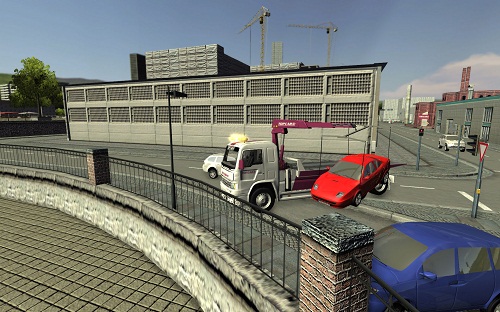
As a downside present in most road simulation titles, there is not much in the way of traffic, at some points in the game there will be no cars nearby, which necessarily could be true, but more dynamic traffic is something that all games are lacking, a related issue is also present in regards to the traffic lights; with road rules turned on, you’ll find you spend a lot of your time at traffic lights, that for the most part are red for no reason, as there are that few cars around. The game also has a few issues on older computers, so make sure that you check out the specifications on Excalibur Publishing's website, my low end computer that is just about the minimum specs did struggle somewhat running the game, so don’t just assume because it is a simulator then it will run on anything, that said the loading times are quite long, and the game is prone to crash if you do manage to run it on a low spec computer.
Tow Truck Simulator is a genuinely enjoyable game, whether you wish to tow a hundred cars away or just do the odd couple in your spare time, the act of towing cars does not get old, and although the game has a few technical issues, and the town does not feel like a breathing, living landscape, the gameplay itself shines through any doubt and makes it a game that any simulation fan should pick up, it’s had me hooked for hours.

Tow Truck Simulator is available now on Windows PC for the SRP of £19.99.